
How can I automate business emails with AI?
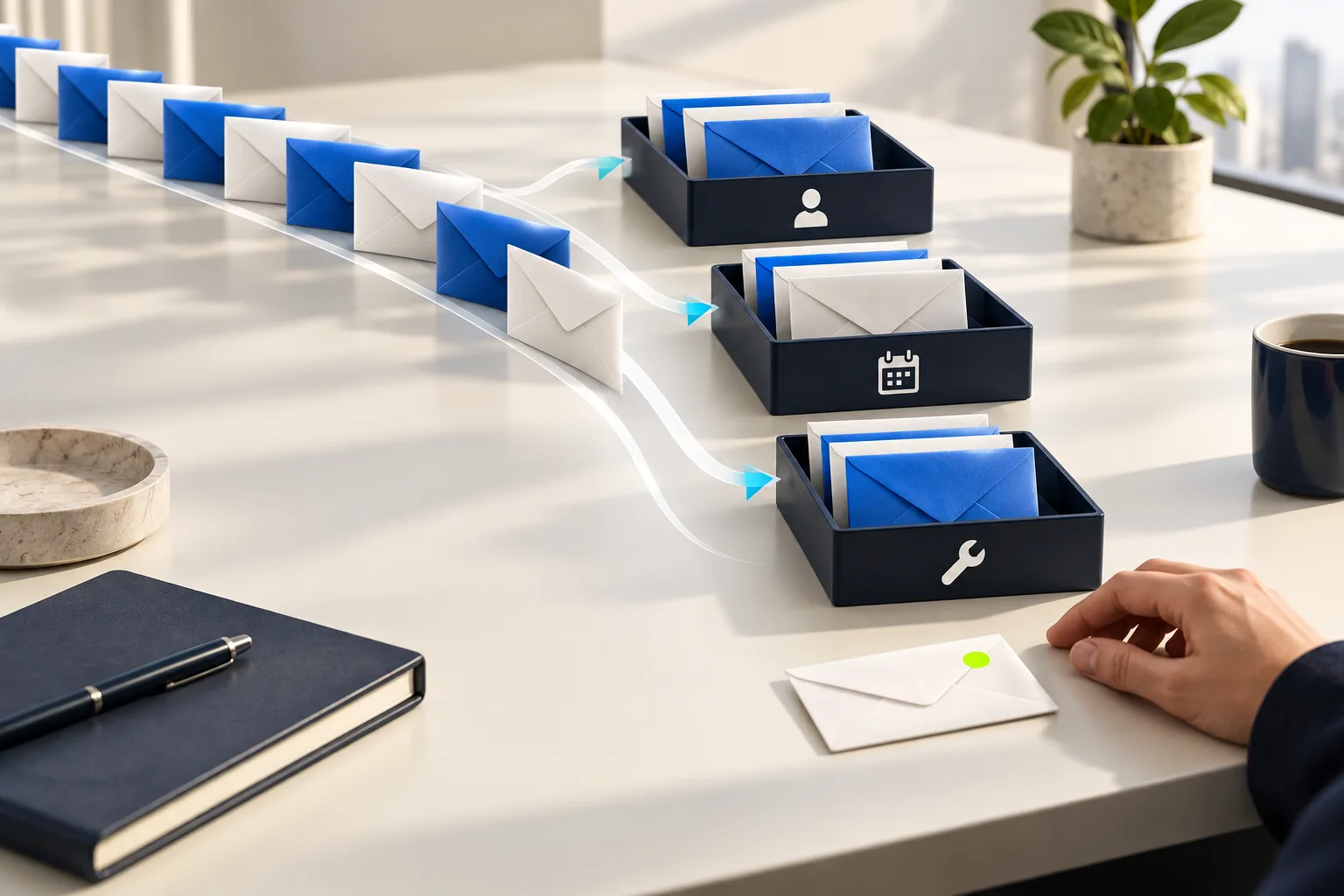
You can use AI to identify what an incoming business email is asking for, assign it to the right person and prepare a first reply. Start with one recurring type of request and let your team approve outgoing messages while you evaluate the workflow in practice.
A request reaches the shared inbox. Someone reads it, forwards it, explains the situation to a colleague and checks whether the customer has contacted you before. Meanwhile, the customer sends a follow-up. The missing piece is not necessarily a better-written response. It is a consistent way to move the work forward.
This guide is about everyday incoming email: support requests, questions, changes and unresolved tasks. It is not about newsletters or bulk campaigns.
What can I try today with ChatGPT, Claude or Grok?
You do not have to start by building an application. First, connect your email to the AI assistant you already use and give it one specific job.
1. Connect your inbox using an available connector
- In ChatGPT: open Plugins, find the Gmail plugin and connect the correct account. Installing a plugin and authorising its connection are separate steps. OpenAI’s plugin guide.
- In Claude: open Connectors and connect Gmail. The integration supports email search and draft replies. Review sending permissions separately. Google Workspace connectors.
- In Grok: choose Connectors → New Connector, select Gmail or Outlook and complete sign-in. Grok’s connector guide.
The options you see depend on your account, app version and organisation settings. Make sure the connection is approved for your work. Do not bypass your administrator if your company has disabled it.
2. Give it a job, not a vague request to organise everything
Try this instruction on a small, permitted set of messages:
Review emails from the last working day that are waiting for my reply. Group them into customers, new enquiries, internal matters and informational messages. For each, give me a link, what the sender needs and the next step. Prepare drafts here for messages we can answer using the available information. Do not send, archive or delete anything. Ask me where information is missing.
This is our suggested prompt, not a guarantee that every connector supports every action. If a connector cannot read attachments, do not assume it understood a PDF just because it saw the filename. Check the results against the original messages.
3. Consider MCP when there is no suitable ready-made connection
MCP is a way to connect an assistant to tools and data. It is not, by itself, a bot or a job that runs every morning. Claude supports custom remote MCP connectors. The ChatGPT/Codex desktop environment also lets you add an MCP server through settings. The integration must support your system and its authentication requirements. Claude remote MCP, OpenAI MCP.
Prefer an established, maintained integration when it does the job. Installing an unknown MCP server because it promises access to everything is not a shortcut we recommend.
How can I make it run every morning without asking again?
This is where chat assistance becomes recurring work. There is more than one route.
Use a scheduled task in Claude
Claude supports scheduled tasks that can use connected tools. Ask it to repeat a task you have already checked, then confirm the schedule it creates. Check where the work runs, particularly if it depends on local files or applications. Scheduled tasks guide.
Our suggested starting brief: “Every weekday at 09:00, Athens time, prepare my morning list of emails needing action. Keep replies as drafts and tell me if access fails.” Then verify that a schedule was actually saved. A reply in a chat is not enough.
Use Grok Bot
In Grok Bot, you can give an assistant a specific job and use a routine to repeat it. Begin with one run, review the result and then set the frequency. Grok Bot routines.
For example, your own “Inbox Assistant” brief could cover outstanding requests, questions that need your input and draft replies. Grok Bot also supports editable email drafts for review before sending. Reviewing drafts.
Build with Codex or Claude Code if you have the technical skills
You can use these tools to develop your own workflow connecting email, CRM records and tasks. Both support MCP. Codex MCP, Claude Code MCP.
A useful implementation brief is: “New message in Support → category → ticket without duplicates → draft reply → approval.” Request a test mode without real sends, logs and failure notifications. Generated code is not the same as a reliable system already running for your business.
If you want this to work across your business, rather than maintain another personal experiment, talk to Ergonya about AI transformation. Below are the foundations you need in place, whichever tool you choose.
Tool capabilities checked on 23 September 2026. These are suggested trials, not results from testing your account.
Which part of email handling should I automate first?
Look for repeated work with a clear next step. Recognising a support request and assigning an owner may be more valuable than having AI write a warmer greeting.
Review a representative sample from your shared inbox and ask:
- Which requests keep coming back?
- Who should own each type?
- What information do people copy into your CRM, ticketing system or task list?
- Where do requests get lost or receive duplicate replies?
Choose one category with meaningful volume and a clear owner. If nobody has agreed who handles a request, automation will not resolve that ambiguity on its own.
Do I need AI, or are Outlook and Gmail rules enough?
Use rules for fixed criteria. If the sender or destination folder already tells you where a message belongs, a model does not need to guess. Power Automate, for example, supports email triggers filtered by sender, subject and attachments. Microsoft documentation.
AI becomes useful when you need to interpret messages that do not follow a fixed format.
| What you need | A sensible starting point |
|---|---|
| Move messages from a known sender into a folder | A simple rule |
| Distinguish a new enquiry from a complaint in free-form text | AI classification with review of uncertain cases |
| Identify information missing from a request | AI with an explicit checklist of required details |
| Update a CRM record | A controlled CRM integration, after matching the correct record |
You do not have to replace your team’s entire workspace. Check what your existing applications and licences already cover before adding another tool. A custom implementation makes sense when your specific business rules or connections between systems are not adequately supported.
What would an AI email workflow look like in practice?
Consider a hypothetical support company receiving this message: “Since the last update, we cannot log in. Could you look at it today?” This is an illustrative example, not a client case study or a measured result.
An initial workflow could:
- Record the request. Keep a link to the original email and its message identifier so a retry does not create a duplicate ticket.
- Suggest a category and owner. If the agreed rules do not support a clear assignment, send it for manual triage.
- Prepare a short summary. Identify what is not working, what changed and which details are missing. Do not fill gaps with guesses.
- Draft a reply. Ask for the necessary information without promising an unapproved resolution time.
- Notify the owner. Show the original and draft together so a person can edit and approve the response.
The useful change is that an email becomes organised work. It is not simply another message with a new label.
Can AI send replies on its own?
An AI workflow can technically connect to a sending action. That does not make automatic sending the right first step for every message. Begin with drafts for review. Even later, retain approvals for pricing, refunds, commitments and sensitive situations.
Some tools support an actual approval gate before an action runs. In n8n, for example, selected tools can wait for human approval before execution. A written instruction saying “ask first” is not a substitute for this control. n8n documentation.
A simple acknowledgement may only need a fixed, approved template, with no AI involved. For a substantive response, the reviewer should also see the information the draft relied on.

What should I check before connecting a company inbox?
Give the workflow only the access it needs. A support pilot should not require payroll access, every employee’s private inbox or permission to delete messages.
Email content must be treated as data, not authority to act. A message can contain instructions designed to manipulate the model. OWASP describes this risk as prompt injection and recommends controls including limited permissions and review of high-risk actions. OWASP: Prompt Injection.
Before enabling the workflow, decide who can read its logs, how long they are retained and how to stop it if something goes wrong. Test recipients, attachments, reply chains and repeated messages. An accurate summary sent to the wrong person is still a serious mistake.
What about installing OpenClaw to handle everything?
We do not recommend an improvised first setup with unrestricted access to company email. OpenClaw itself describes one shared trust boundary per gateway, not isolation between users who do not trust each other. Official security model.
That does not mean every installation has a known vulnerability, or that another bot is automatically safe. It means company data should not be connected without access controls, isolation, updates and someone responsible for the technical setup. Apply the same standard to unknown MCP servers and plugins. A prompt saying “be careful” is not a security mechanism.
How will I know whether it actually saves time?
Measure the whole task, not just the time it takes to generate a draft. If your team spends longer correcting replies, fast text generation tells you very little.
During a limited pilot, compare time to correct assignment, review time, classification mistakes and requests left without an owner. Include difficult messages, such as two different requests in one email. These are suggested evaluation criteria, not a promise of a particular saving.
If most of the work happens after an enquiry, when someone has to prepare a commercial proposal, read our guide to automating sales quotes with AI.
Where should I start in my own business?
Choose one inbox, one type of request and one owner. Describe what should happen between a message arriving and someone taking responsibility for the next step. That description is more useful than a general instruction to “add AI to email”.
Want this and more, properly set up for your business?
You can start on your own with a connector and a useful prompt. But when people, email, CRM records, documents and approvals need to work together, you need more than a list of tools.
At Ergonya, we start with where AI makes business sense: what existing products cover, what needs custom automation, which project should come first and which is not worth pursuing. That is the role of our AI Transformation Roadmap. When implementation is needed, Ergonya also builds the corresponding AI applications and automations.
Talk to us about your business’s AI transformation. Tell us what keeps repeating in your inbox and which other parts of the business you want to improve. A description of the process is enough for an initial conversation, without sending personal or confidential messages.