
Claude Enterprise unifies chat and Cowork: what should teams prepare?

If your business uses Claude Enterprise, review the rollout setting with its owner and test one bounded workflow before expanding access. The useful change is a simpler path from asking a question to completing work. Your business still needs to decide which work is allowed and what a satisfactory result looks like.
What changed, and when?
Anthropic announced general availability of unified chat and Cowork for Claude Enterprise on 23 October 2026. A conversation can move into cloud-based work with files or code, across web, desktop and mobile. This guide checks that development on 2 November, rather than presenting it as today’s announcement. Official announcement.
“Agentic work” means the assistant carries out steps towards an output, rather than only replying with text. For a manager, that changes the handover: “explain this brief” and “prepare a draft deliverable from it” can belong to one conversation. It does not make a draft automatically ready for a customer.
Does my organisation need to act before November 16?
The admin guide schedules default activation for existing eligible organisations on 16 November 2026, subject to prerequisites and any explicit prior choice. An Owner or Primary Owner can review Organization settings → Capabilities → Chat and Cowork unified. Chat and cloud code execution/file creation must be enabled. ZDR, HIPAA-ready and customer-managed encryption-key configurations are currently excluded. Current setup guide.
Have the owner inspect the actual tenant setting before giving employees a date. This article does not verify your account. If you use another plan, do not assume that this Enterprise rollout notice applies to you.
For a limited rollout, the same guide warns that standard roles receive access when the organisation setting is on; custom roles need deliberate configuration. Role rollout details.
Which first workflow is worth trying?
Choose a task with a clear finish line and an easy independent check. Here are three proposed routes, not claims about results from Ergonya clients:
- Approved files to a draft deliverable. Give a pilot user a fictional project brief and a house template. Ask for a draft handover document with missing information flagged. This tests execution without requiring a live system connection.
- Connected information to a reviewed draft. If your organisation has already approved a relevant connector, test a narrowly scoped lookup and require references to the source material. Do not connect an entire department’s records just to avoid uploading a small approved sample.
- A recurring business process. First prove the manual pilot. Then decide whether a scheduled task is appropriate or whether a custom integration is needed for logging, retries and destination-specific checks. A connector or MCP provides access; it is not itself a scheduler.
For example, a fictional brief might specify the delivery date and deliverables but omit the person responsible for acceptance. A useful output would preserve the agreed scope and mark the acceptance owner as missing. Inventing a plausible name would fail the test, even if the document looked polished.
This differs from simply writing an SOP with AI: here, the question is whether your team can safely move from a request to a usable output in its working environment.
What should the pilot checklist include?
Use this proposed checklist before authorising wider use:
- Name the accountable owner. One person decides whether the pilot passes. Record who can change access and who reviews the output.
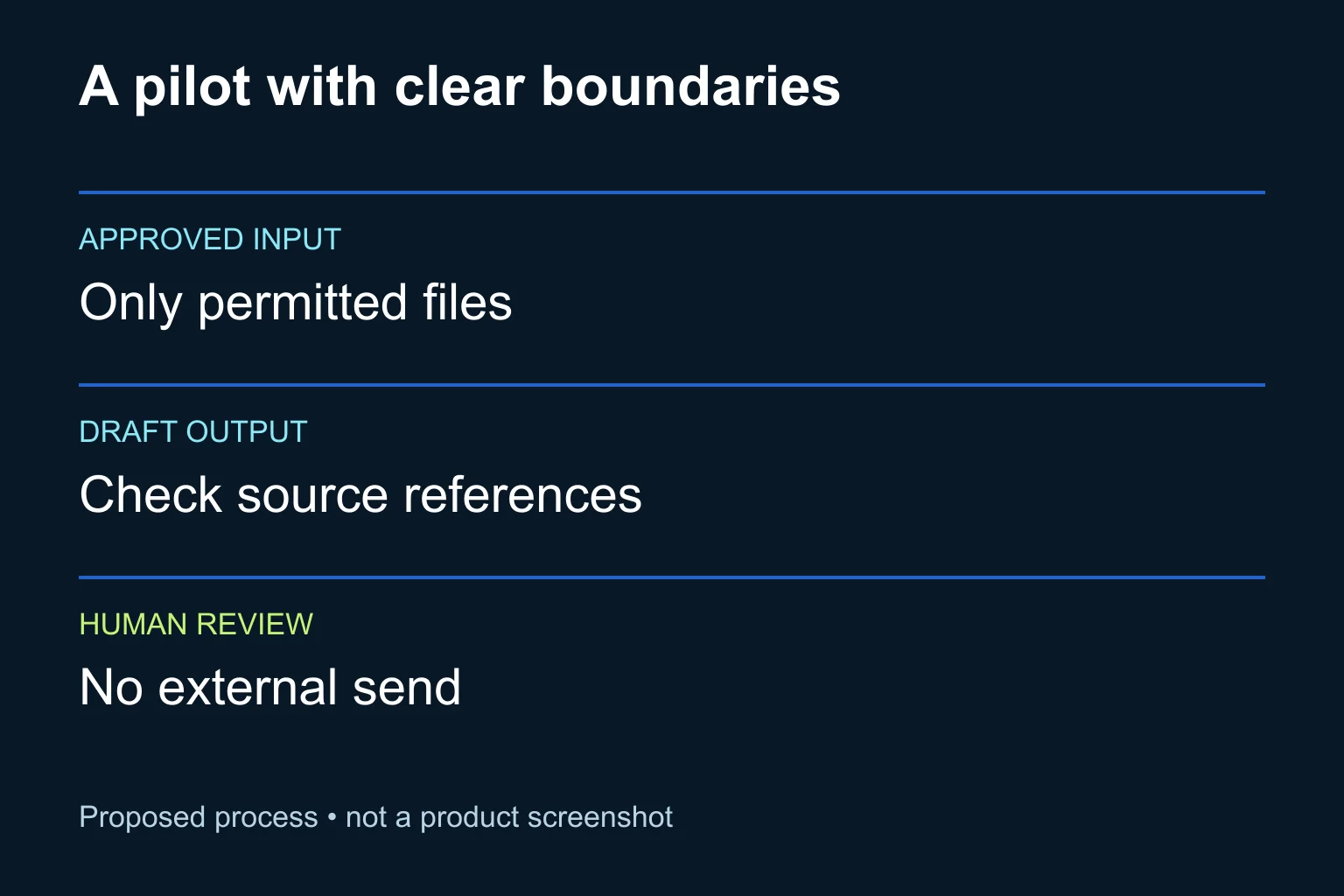
- Specify permitted inputs. Start with synthetic or approved non-sensitive files. List the exact sources and the purpose of each.
- Define the output and stop point. For the first run, request a draft only. Keep sending, publishing and updates to operational systems outside the pilot.
- Record the expected behaviour. Include one deliberately missing fact and one conflicting instruction in the sample. The assistant should surface them for a person to resolve.
- Check the result against the inputs. Confirm names, dates, scope and references. Measure review effort as well as time to produce a draft.
- Set a usage boundary. Agree a budget and review it during the pilot. Stop and investigate unexpected consumption or repeated corrections before adding more users.
Anthropic documents usage-based Enterprise billing and controls for spend, model access and analytics. These help monitor a rollout; they do not establish that a workflow is profitable. Official cost-control overview.
What can I ask in the first test?
Use this original prompt with a fictional brief and an approved template:
Prepare a draft handover document using only the supplied brief and template.

Before working:
- List the files you will use and the output you intend to create.
- If information conflicts, identify the conflict.
- Do not invent owners, dates, prices or commitments.

In the draft:
- Preserve the brief's agreed deliverables.
- Mark missing facts as "Needs confirmation".
- Link each key commitment to its source section.
- Add a short list of decisions a human must make.

Do not send, publish, contact anyone or update another system.
Stop after producing the draft and a review checklist.
The prompt is a task boundary, not a substitute for account permissions. Test those separately. Inspect the produced file itself rather than accepting a chat message that says the work is complete. If the task touches consequential actions, keep a human approval step at that action.
Is the desktop app enough to keep work local?
No. The announced unified experience performs agentic work in Anthropic-managed cloud sessions. Using the desktop interface does not make that work offline or local-only. Architecture described in the announcement.
For your pilot, have the responsible team confirm which data may be processed, which connections are permitted and how outputs will be retained. Treat a new task’s access needs as a separate decision from whether the assistant can write a good draft.
When does Ergonya help?
The ready-made product may be enough if a small group can run the workflow, review the output and manage it through the existing controls. There is no reason to commission a custom build merely because the experience has changed.
Ergonya becomes useful when the work crosses systems, needs repeatable validation or requires a maintained automation with clear ownership. Talk to Ergonya about AI transformation with one real workflow, its allowed inputs and the result your team would accept. We can help turn that into a practical pilot and decide what should remain manual.