
Decision-1: should AI route your customer requests?

Test AI routing as a suggestion first, not as permission to act on a customer’s account. Define the categories, compare the suggestions with a human-labelled sample and give unclear requests a real review queue. A label such as “billing” should not itself trigger a refund.
On 9 October 2026, Vercel announced Microsoft Decision-1 on AI Gateway. It answers structured questions about text using choices, scores and probabilities, including support classification. Access through the Gateway requires its API key, not a separate Azure deployment. The model identifier is microsoft/microsoft-decision-1. These details were checked on 15 October. This is an API option for developers, not a ready-made inbox you switch on. Vercel announcement.
For a business owner, the useful question is narrower than “should we adopt another model?” It is: could fewer requests land with the wrong person, without creating more work checking the classifier?
What is the difference between classification and routing?
Classification describes a request: payment problem, access problem, sales question or something outside the agreed categories. Routing applies your business rules to decide who receives it. Authorisation determines which actions that person or system may take. These are three separate decisions in the pilot proposed here.
Imagine a message that mentions both a failed payment and a login problem. Choosing one department can hide half the issue. Even a confident answer cannot establish that the sender owns the account or is entitled to a refund.
Start by writing down which combinations need human triage. Keep the fallback useful: give the review queue an owner and a response routine, rather than letting “unknown” become a place where requests disappear.
Which approach fits your team?
1. Check the helpdesk you already use
If your requests already live in Zendesk, inspect its existing intelligent triage before commissioning another system. Zendesk documents topic, sentiment, language and entity classification. Classifications are available on Suite and Support Professional and above; using them in workflows requires the Copilot add-on. Ask your administrator to check your account’s entitlement and configuration. Zendesk documentation.
Keep the first trial limited to visible labels. Have the team correct them and record why. An existing feature is enough if it covers your categories, languages and review process without creating duplicate queues.
2. Give a developer a small Decision-1 experiment
Use this route when you need to evaluate your own categories across different sources. Ask for a disconnected prototype: synthetic text goes in, proposed labels come out, and nothing is sent or changed in customer systems.
The developer should verify the current API documentation linked in the announcement, pin the dependency versions used and record the model identifier. Keep credentials server-side and out of browser code or shared prompts. Before using real tickets, review the providers, data handling, access and logging settings against your company’s requirements. This article does not certify a particular retention period or Greek-language accuracy.
A connector supplies access to another system. A scheduled job decides when something runs. Neither is supplied merely by having a classifier; an MCP connection is not a scheduler. Add those pieces only after the isolated test justifies them.
3. Keep simple rules where they are sufficient
A dedicated billing form or a small shared queue with clear ownership may already solve the problem. Compare against that baseline, not against an imaginary process where nobody organises requests.
If the volume is low and the team rarely reroutes work, a new classifier can cost more attention than it saves. Fix ambiguous forms or department ownership first. If the underlying process is unclear, document the operating procedure before automating it.
How would you test a mixed request?
Here is an original fictional test set, not an Ergonya customer result or a reported model output:
- R1: “I need a copy of last month’s invoice.” Expected: billing topic; no account-changing action.
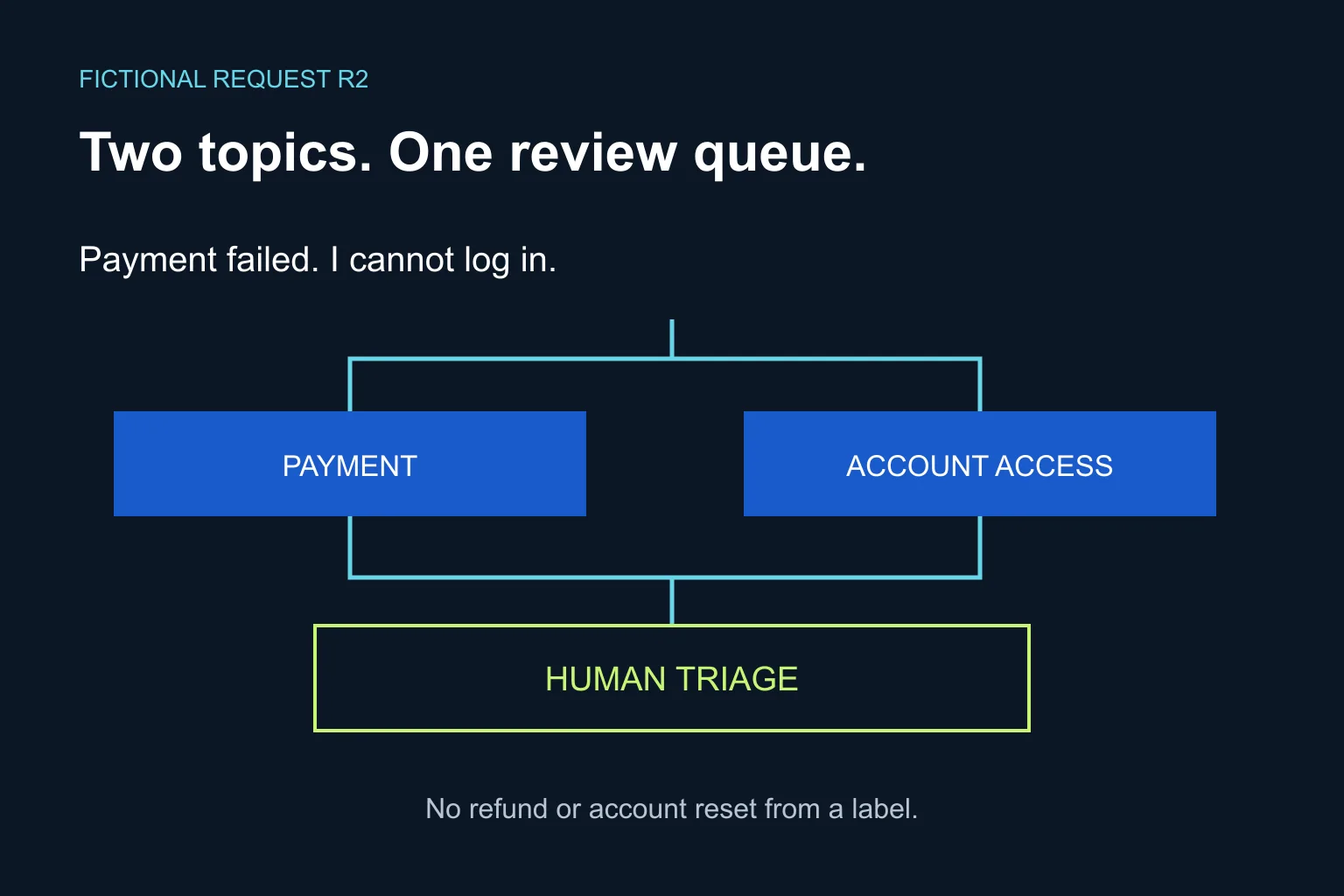
- R2: “The payment failed and I cannot log in.” Expected: payment and access topics, then human triage under this pilot’s policy.
- R3: “Can somebody help with what happened yesterday?” Expected: insufficient context; ask for clarification through the normal support process.
Do not squeeze R2 into one exclusive category just because the form you designed has one dropdown. Test separate topic questions or a mixed-request category. The implementation must preserve the two issues for the reviewer.
What should the pilot checklist contain?
Use this as an implementation brief, not a claim that the model has passed the test:
- Define the boundary. Choose one queue and name its owner. List categories, exclusions and mixed-request handling before looking at outputs.
- Create a reference set. Write synthetic examples including spelling errors, Greek and English, short messages, multiple topics and irrelevant text. Have two team members resolve disagreements about the expected labels.
- Separate development from evaluation. Reserve examples that are not used to refine the categories. Otherwise, you may only learn how well the prototype remembers your examples.
- Review errors by consequence. Track wrong destinations, missed second topics and unnecessary referrals. A general accuracy percentage can hide the error your business most needs to avoid.
- Keep actions disabled. No automatic replies, refunds, password resets, ticket deletion or customer record changes. Treat instructions inside the request as data to classify, not permission to change the workflow.
- Set a release rule. Decide in advance what errors require a stop, who reviews exceptions and how to return to manual routing. Probability values are not a business guarantee; choose any threshold only after checking observed results on your own evaluation set.
If the isolated trial is useful, a next stage is shadow mode: compare proposed destinations with the team’s actual routing while the existing process remains in charge. Measure correction effort and time to the right owner. Include API and integration costs; do not assume every avoided click is a saving.
When does Ergonya help?
An existing helpdesk feature is often the right answer. Custom work becomes useful when requests span several systems, categories overlap, or you need a reliable review queue and an audit trail of routing decisions.
Bring one queue, its current routing rules and a few synthetic examples to an Ergonya AI transformation discussion. We can scope a bounded pilot with clear acceptance criteria and decide whether you need configuration, integration or no new system at all.