
How can I find answers in company documents with AI?

You can use AI to ask questions in everyday language and get answers drawn from your company documents, alongside the relevant sources. To make this useful in daily work, you need current files, clear access permissions and checks that each answer is genuinely supported by the right document.
“What is the latest procedure?” “What did we agree for this project?” “Where is the approved template?” The information may already exist, but somebody needs to remember the filename, the folder and which version still applies.
When this keeps happening, experienced colleagues become search engines for the rest of the team. An internal AI assistant can reduce that dependence. It does not replace your company’s knowledge. It helps people find and check it more easily.
Which tool can I start with today?
You do not need to build a company chatbot for your first trial. Start with where the files live and what you want back: an answer, a comparison or a new deliverable.
Have a few specific files? Start with those
For a one-off task, choose a few relevant, non-sensitive documents and add them to a tool that supports their formats. Give each a useful name and identify which one is authoritative. You do not necessarily need MCP to compare two documents.
Here is our suggested example: “Compare the approved onboarding procedure with the checklist. Which steps are missing from the checklist? Return a table with the step, source and proposed addition. Do not change the originals.”
Have a folder on your computer? Try ChatGPT Work or Claude Desktop
In OpenAI’s desktop app, open a folder or project and select Work for documents and other deliverables. Codex is available for software development. Official quickstart.
In Claude Desktop, local file work is supported through the Cowork experience. Accounts with the newer unified experience may no longer show a separate Cowork button. Describe the task and select the relevant folder where that option is available. Claude Cowork guide.
For a trial, prepare a separate folder containing copies of selected files. First ask for a list of what the assistant could read, then request the answer. This exposes missing documents before you rely on its conclusion. “Desktop” does not mean the model runs offline or that no content reaches a cloud service.
Are your files in Drive or another online system? Use a connector
Connect the source instead of repeatedly downloading and uploading copies. ChatGPT offers a Google Drive plugin and Claude has a Google Workspace connector. Grok offers Drive, OneDrive and SharePoint connections. OpenAI plugins, Claude Google Workspace, Grok connectors.
Choose the connection for your business environment, sign in to the correct account and check access using a known file. Do not assume every connector reads every file format or immediately reflects every change.
Want an assistant that takes on tasks? Consider Grok Bot too
Grok Bot has a desktop app, while its assistants work on a cloud computer. That is not the same as automatically granting access to your entire local drive. Grok Bot overview.
You can attach supported documents and request an output you can inspect. Files and results in Grok Bot. For example: “Using these approved files, prepare a short guide for a new team member. Cite the source for each instruction and flag anything the documents do not establish.”
Where does MCP fit, and what should I actually ask?
MCP is useful when you need a connection to a source or tool that an available integration does not cover in the way you need. Claude supports custom remote connectors, and Grok also accepts custom MCP connectors. Not every server works with every execution environment. Claude remote MCP, Grok custom connectors.
Think of three separate pieces: MCP connects, the assistant does the work, and a schedule decides when it repeats. Installing the first does not automatically create the others.
For an initial trial, use this sequence:
- Choose a real question. For example, which project handover procedure currently applies.
- Allow access only to appropriate sources. Check the connection’s actual permissions. Writing “search only here” in a prompt does not, by itself, restrict access rights.
- Request an answer with sources. Try the prompt below and open its references.
- Repeat with a difficult case. An outdated file or a question with no documented answer reveals more than an easy demonstration.
A prompt you can adapt:
Using the approved files I provided, find the project handover procedure. Answer with steps and the responsible role, only where documented. For each step, include the filename, section or page and a link where available. Tell me which files you could not read. Flag conflicting sources or missing answers. Do not fill in gaps or modify any files.
This is our suggested prompt. The outcome you want is a small, verifiable guide, not a generic answer about how companies usually work.
If you have technical experience, Codex or Claude Code can help you build a dedicated integration or application around this task. If it needs to work consistently across teams and sources, Ergonya can make it part of a structured AI transformation, alongside other automation opportunities in your business.
Tool capabilities checked on 23 September 2026. Availability and menus vary by plan, version and organisation settings. These examples are suggested trials, not installations tested in your account.
There are plenty of options. The following foundations explain what separates an interesting first trial from something your team can use in everyday work.
How is this different from ordinary file search?
Ordinary search typically returns a list of documents. An AI assistant can gather relevant passages and compose an answer to your question, with links back to the sources.
A common approach is RAG: retrieve relevant content first, then give it to the model to inform its answer. This does not guarantee accuracy. Incomplete or irrelevant retrieved material can still lead to an incorrect response. Microsoft’s introduction to RAG.
The useful outcome is not a confident-sounding paragraph. It is an answer you can verify by opening the right passage in the right file.
Which questions should it answer first?
Start with questions people ask regularly and that have a documented answer. For example:
- “Which steps do we follow when starting a new project?”
- “Which approved template should I use for this deliverable?”
- “Who approves a change in project scope?”
- “Where are the instructions for this feature?”
For a first pilot, an organised procedures folder is often more manageable than the company’s entire archive. Initially, avoid questions requiring complex contract interpretation or critical decisions without an appropriate reviewer.
Do not promise real-time information if the answer relies on an old export. “How much stock do we have right now?” needs a connection to the relevant system, not just a search through PDFs.
What should I prepare before connecting our files?
You do not need to organise everything. You do need to know which source is authoritative for the topic you have chosen.
| Check | Why it matters |
|---|---|
| Which version applies | An old draft should not be treated as a final decision |
| Who owns each document | Someone must be responsible for gaps or conflicting instructions |
| Whether text is extracted correctly | Scanned pages, tables and images require particular attention |
| Who is allowed to read it | Search must not become a way around access restrictions |
| When the system refreshes | The team needs to know how current its information is |
Plan what happens when a file is deleted or its permissions change. The change should also reach the search index and any stored answers, through a process you can verify.
What does a genuinely useful answer look like?
Suppose a new colleague asks, “What are the first steps for starting a project?” This is a hypothetical example of answer structure, not a description of a real company’s policy.
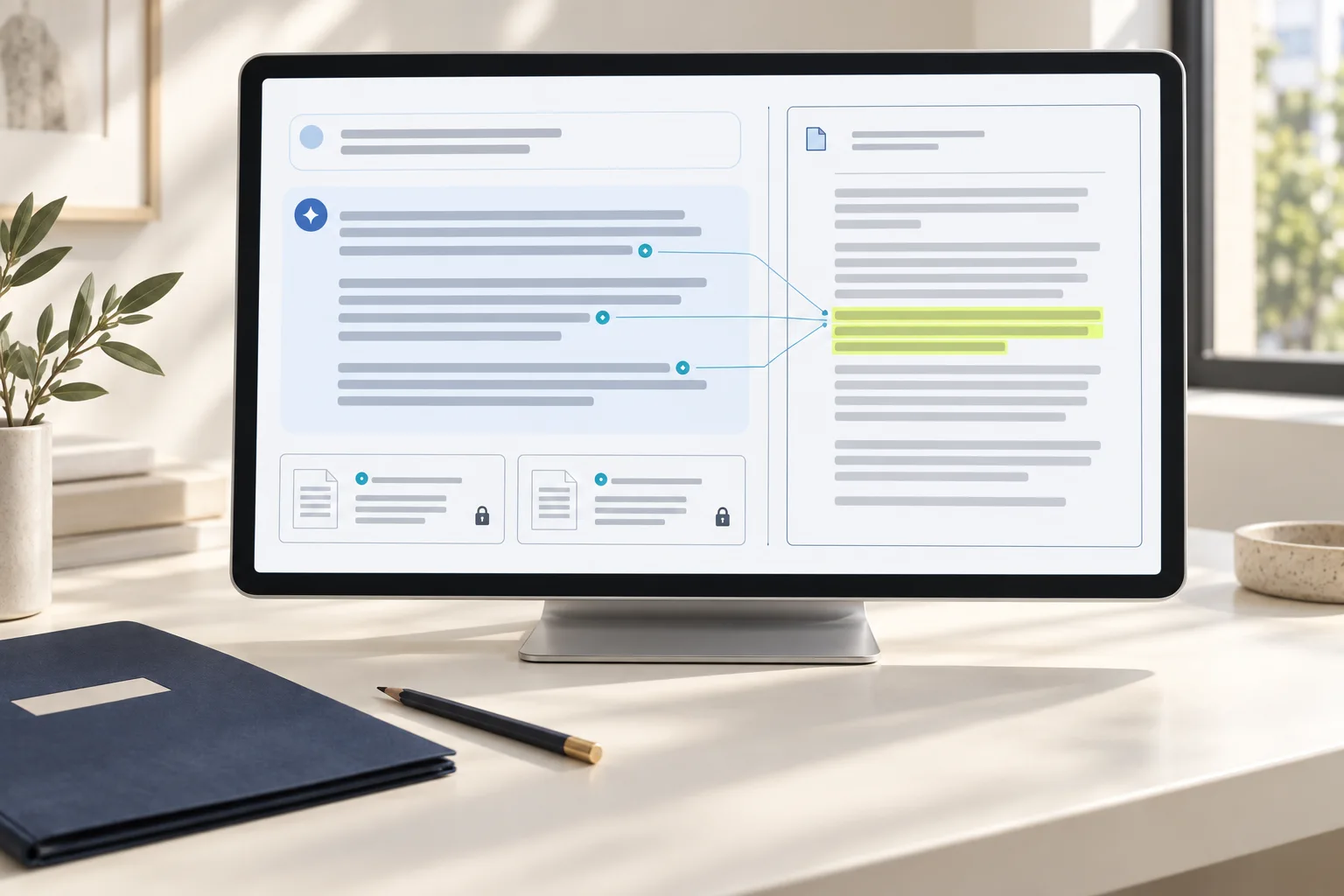
A helpful response would provide a short sequence of steps, the role responsible for each and a link to the approved document. Ideally, that link opens the relevant passage and identifies the document’s version or date.
If two documents disagree, the assistant should not invent a compromise procedure. It should flag the conflict and direct the question to the responsible person. If there is no documented answer, “I could not find an approved instruction” is more useful than a plausible guess.
A citation alone is not enough. During review, open the file and check that it actually supports what the answer says.
Will everyone be able to see every company document?
They should not. Permissions need to be enforced before relevant passages are passed to the model. An instruction saying “do not reveal confidential information” is not an access-control system. Azure AI Search documentation describes ways to restrict results by user or group. Document-level access control.
In practice, test the same question with accounts assigned different roles. Check not only the answer but also document titles, snippets, citations and conversation history. Even revealing that a confidential file exists can expose information someone should not see.
Begin with read-only access. Being able to find a procedure does not mean the assistant should also be able to change files or perform actions on the team’s behalf.
How do I test it before the whole team starts using it?
Create a small set of real questions and record the source you expect each one to retrieve. Add questions with no documented answer, outdated versions, restricted files and different ways of asking the same thing.
Measure how quickly a person finds the information, whether the citation is correct and how often an answer needs correcting. Do not just count generated answers: refusing to guess can be the correct behaviour.
Agree in advance who corrects a faulty source and who decides whether the pilot is good enough to expand. Quality targets should reflect the work your team does, not an impressive percentage without context.
Do I need an existing tool or a custom application?
If your knowledge lives in one environment and its available features meet your needs for permissions, sources and updates, evaluate what you already have first. There is no reason to commission a custom application simply to add another chat window.
A tailored application may make sense when you need to connect different systems, follow specific access rules or embed search in an existing process. The real test is whether your team can reliably find the information it needs to continue its work.
Want these tools to work together, not as separate experiments?
The easy starting point is finding an answer in a file. The next step is a shared way of working: which tools your team uses, which sources it trusts, who has access and how the information supports decisions and next actions.
For this and the other ways AI can improve your business, talk to Ergonya. Our AI Transformation Roadmap establishes priorities and distinguishes what existing tools cover, what can be done in-house and what needs a custom implementation. The next step can include AI applications and automations, not simply another subscription.
Discuss your business’s AI transformation with us. Bring a few questions your team keeps asking and a description of where the answers live today. You do not need to send confidential documents for the first conversation.