
Claude in Google Workspace: what should my team try?

Start with one low-risk file and one clearly bounded edit, not an instruction to reorganise your whole Drive. Claude’s new Google Workspace beta offers an opportunity to reduce copying between tools. The useful first question is whether your team can review its changes more easily than it can do the same task manually.
On 6 October 2026, Anthropic announced an add-on for editing open Docs, Sheets and Slides files, plus separate connectors for creating and editing Google files from Claude. The add-on is a public beta on paid Claude plans. This guide was researched on 7 October, not the announcement date. Official announcement.
The exercises below are proposed tests with fictional material. They are not client results or a claim that Karolos personally tested the beta.
Which route fits the work I already do?
Choose where the task begins. “Claude connected to Google” is too vague for an implementation brief: it does not specify which files may change or who checks them.
1. Work in a file you already have open
The add-on places Claude beside the file. Install it through Google Workspace Marketplace, then use Extensions → Claude → Open Claude. Keep the default Ask before edits mode for your first trial. Setup and edit modes.
A sensible pilot is a draft project brief with inconsistent headings. Define exactly which section may change. Ask for a proposed rewrite, review it, then compare the untouched sections. A tidy introduction is not a successful result if it silently changes the delivery date further down.
For a spreadsheet trial, agree the expected answer before asking for a formula. For slides, review the finished slide visually as well as reading its text.
2. Start from a conversation in Claude
The separate Docs, Sheets and Slides connectors support creating files and live editing beside the conversation. Google Drive handles search and file management; it is not interchangeable with these editing connectors. On Team and Enterprise, an owner must enable connectors before members authenticate. Connector documentation.
Use this route when the work starts with an instruction and a named destination. For the pilot, provide one exact test-file link rather than “find the latest brief”. Establish how the reviewer will identify the intended file when two copies have similar names.
3. Consider a repeatable automation only after the pilot
A connector, including one exposed through MCP, gives a tool access to operations. It is not a scheduler. If your requirement is “prepare an update every Monday”, specify a trigger, permitted sources, a draft destination, an approver and what happens on failure.
That is a separate design exercise. A developer could use Codex or Claude Code to help build a custom integration, but this article does not claim either product supplies that complete workflow automatically. Start by checking whether your existing tools already meet the need.
What should the administrator check first?
Pro, Max, Team and Enterprise are eligible; Google Marketplace installation permission is also required. The sidebar must remain open while working. Firefox is unsupported in this beta. Docs changes are direct edits, not native suggestions; comments are unsupported. Slides-generated charts are images, not live-linked charts. Zero Data Retention is unavailable and custom retention is not inherited. Current limitations and data handling.
For a pilot, ask your administrator to review the actual permission request and the current data terms before enabling access. Do not assume a browser sidebar or desktop app means data stays offline.
Write down which account is being used, who owns the test file and which optional connections are allowed. Use fictional or approved non-sensitive material. Keep unrelated connectors off and do not widen permissions just to make a demonstration work.
What can we test in one short session?
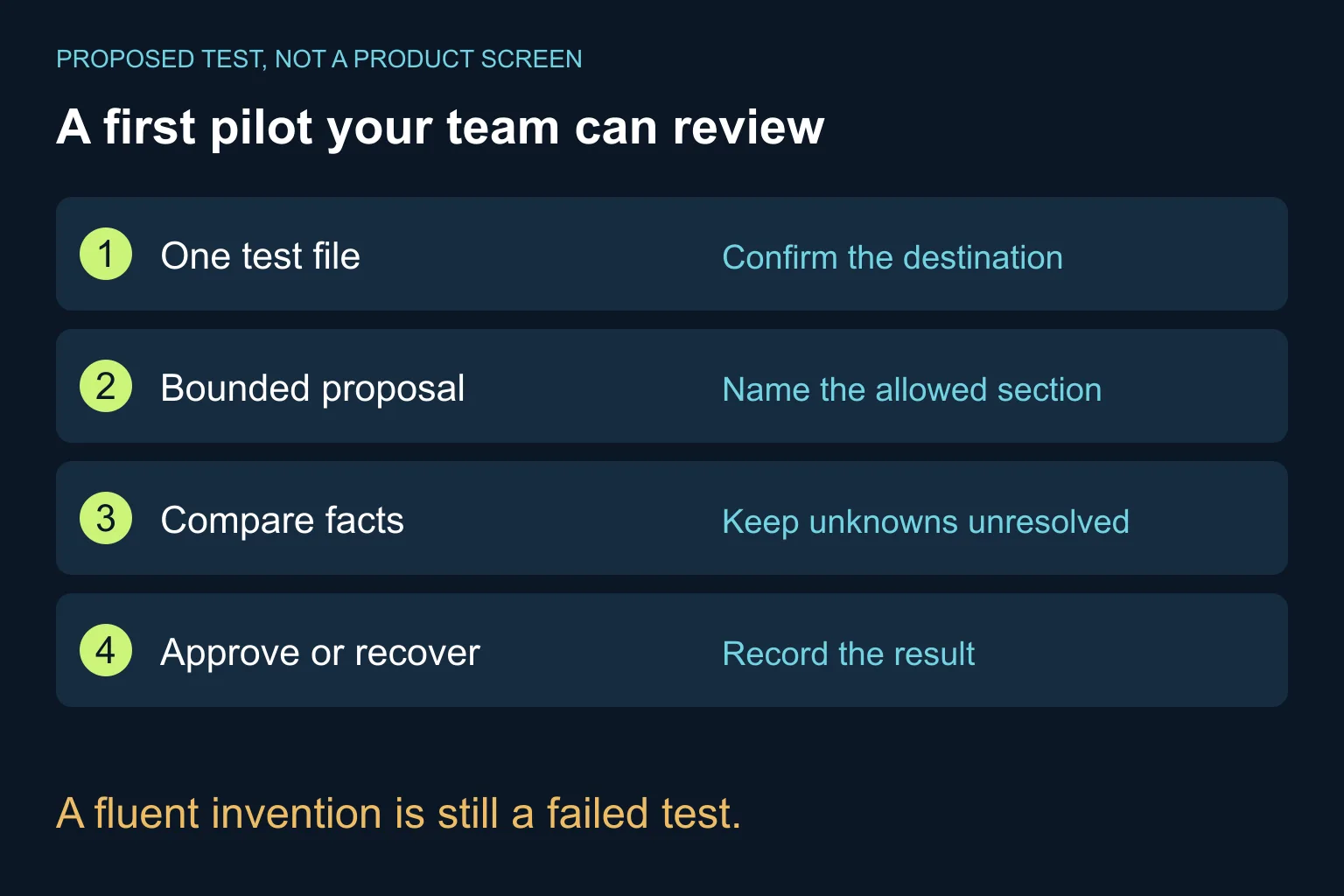
Here is an original, fictional acceptance test. Create a test document with these three approved facts:
- The workshop is remote.
- The session lasts 90 minutes.
- The participant limit is not yet decided.
Ask for a clearer introduction and a short “Decisions still needed” section. A valid result preserves the remote format and duration, and leaves capacity unresolved. “Up to 20 participants” is a failure, however polished the prose sounds.
Use this prompt in the chosen workflow:
Work only on the test document I have identified.
First propose changes; wait for my approval before editing.

Goal: make the introduction easier to read and add
a "Decisions still needed" section.

Approved facts:
F1: The workshop is remote.
F2: Duration is 90 minutes.
F3: Participant capacity has not been decided.

Preserve F1 and F2 exactly in meaning.
Keep F3 unresolved. Do not invent a number or commitment.
Do not change dates, prices, links, permissions or other sections.
Do not send, share, publish or create extra files.

Show:
1. Proposed replacement text.
2. Which fact supports each statement.
3. Missing information that needs an owner decision.

After an approved edit, list the sections actually changed.
If the requested operation is unavailable, explain that
instead of claiming it was completed.
This prompt states intent; it is not an access-control mechanism. Review the tool’s proposed action and its actual result.
- Confirm that the right test file is open.
- Read the proposal before accepting it.
- Compare the result against F1–F3 and the original surrounding text.
- Check that no extra section or commitment appeared.
- Practise recovering the test file before anyone relies on the workflow.
- Record failures and review time, not just generation speed.
If the task requires repeated correction, narrow it. “Improve this whole document” gives you less useful evidence than “rewrite this paragraph without changing these facts”.
When is the ready-made tool enough?
A built-in route may be enough when a person starts the task, the scope is one file and checking the result is straightforward. You do not need custom software just to shorten a paragraph.
Consider further implementation when work crosses systems, runs unattended or requires an approval record your current process cannot provide. First define those requirements; do not buy complexity before finding the gap.
For related working habits, see our guide to finding answers in company documents and writing SOPs from actual work notes. They address different tasks from choosing this new beta.
Want to decide whether this fits your team? Bring one recurring task, an approved sample and the result you need to Ergonya’s AI transformation service. We can help define a pilot, the review criteria and whether the existing product is enough.