
Microsoft 365 is back: should I restart my AI automations?

Check what actually completed before restarting delayed AI automations. Confirm service health, separate failed actions from uncertain ones, and resume a small reviewed batch. A service returning to normal does not tell you whether a particular email was sent or a record was updated during the interruption.
What changed on November 14?
Microsoft reported service restoration on November 14 after disruption beginning November 12, according to AP’s November 14 report. Outlook, Teams and Copilot were among the affected services. This is a recovery checklist, not a claim that your organization’s backlog has cleared.
At our November 14 check, the public Microsoft status page displayed normal operation. That page has a limited role: Microsoft says it is updated when problems prevent administrators from accessing tenant service health. Your administrator should check the organization’s own incident details before declaring a workflow recovered.
This matters if an AI assistant reads mailbox messages, searches company files or triggers an automation that writes back to Microsoft 365. An assistant may still answer general questions while a connected business task cannot finish. Check the dependency that failed, not only whether the chat opens.
What should the business owner check first?
Choose one person to coordinate recovery and one important workflow to inspect first. Keep the incident window and time zone in the record. A proposed first checklist is:
- Pause new automatic writes where your platform allows it. Preserve the queue and execution history. Avoid deleting failed runs merely to tidy the screen.
- Ask an authorized administrator to check service health. In Microsoft 365, the documented path is Health > Service health. Service Support admins and Helpdesk admins can view it; ordinary staff need not receive broad admin access just for this check. See Microsoft’s instructions.
- List affected business actions. For each, record the workflow run ID, intended action, destination, last attempt and evidence of its result. Avoid copying full customer messages into a new spreadsheet.
- Reconcile the destination. Check whether the message, file or record exists. Treat an ambiguous timeout as unknown until the outcome is checked.
- Resume a small batch with an owner watching. Choose an internal test and a few reviewed items before reopening the full backlog. Set a stop condition, such as another uncertain write or a repeated error.
- Close the incident with totals. Record completed items, items safely retried, unresolved items and who will follow up. A green status page alone is not this record.
These are proposed operating steps, not actions we performed in a customer account.
Why can pressing Retry create duplicates?
A request can reach its destination even when its response never reaches the caller. Microsoft’s retry guidance explicitly describes this risk. Repeating a write may therefore repeat the business action.
Idempotency means an operation can be repeated without adding another effect beyond the first successful execution. Do not assume a connector has that property. A unique run ID in your log is useful evidence; it does not by itself stop a destination from creating a second item.
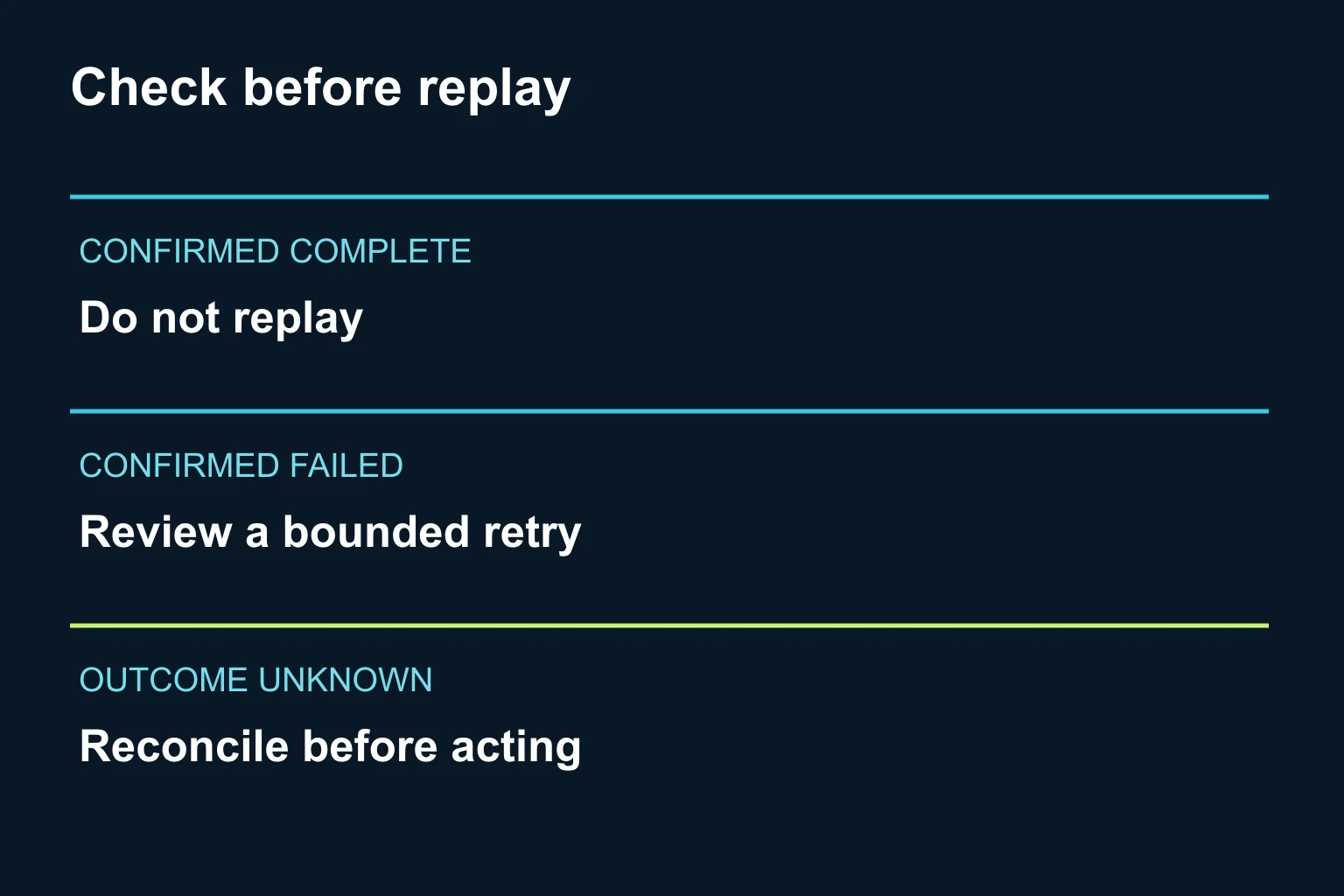
Consider a fictional sales workflow: AI drafts an acknowledgment, a person approves it, and an automation sends it. Three runs appear interrupted. For A, the destination confirms the send: do not resend. For B, the platform confirms failure before sending: consider a controlled retry. For C, there is only a timeout: check the destination or ask the owner to resolve it before acting. The same error label can require different business decisions.
Which recovery route fits our setup?
A small team using a ready-made assistant: use a manual checklist and the existing application’s history. Reopen one approved source and compare its date and contents with the assistant’s answer. Regenerate a draft if necessary, then review it before sending. A new custom application is usually unnecessary for a handful of items.
A team using connectors and scheduled workflows: ask the workflow owner to inspect the tool’s execution history and documented replay behavior. Verify whether replay starts at the failed step or repeats earlier steps. Connector access and scheduling are separate capabilities; MCP does not itself schedule work. Keep existing permission boundaries and human approval for consequential outgoing actions.
A business with a recurring, high-volume integration: ask a developer to implement explicit states, destination reconciliation and duplicate prevention supported by that destination. Use bounded retries and an exception queue for unknown outcomes. Codex or Claude Code can assist implementation, but the developer still needs to test failure scenarios and review access to production systems. This is a proposed architecture, not a feature available automatically in every connector.
For Microsoft Graph specifically, a 429 response signals throttling. Follow its Retry-After delay; Microsoft recommends exponential backoff when the header is absent. Do not treat that advice as proof of what caused this outage, or apply it blindly to every error. See Graph throttling guidance.
How do we know the workflow is ready again?
Test the whole business outcome. Can the workflow read an authorized current source? Does a draft accurately reflect it? Does approval occur at the intended point? Does one permitted write produce exactly one result? Can the owner find the evidence afterward?
Include a deliberately repeated test item in a non-production environment to check duplicate handling. Test an unknown outcome too: the expected behavior should be a review queue, not silent success. The application acceptance-test guide helps turn those expectations into checks; verify the exact scenarios with your developer.
For this incident, a recovery checklist is more useful than asking a language model to decide which messages were delivered. AI can help organize a minimized incident log, but the destination remains the source of truth for whether an action happened.
If your existing tools provide clear history and safe replay, start there. If several systems leave you unable to explain what completed, contact Ergonya to scope a small AI transformation pilot around one workflow, its approval points and its recovery checks. The first deliverable should be a dependable process, with custom development only where it earns its place.